
Employee workflows
Personnel presence and badge-event workflows require governance and purpose-specific design.
RFID asset tracking software
Manage RFID asset records, checkout rules, inventory workflows, movement history, alerts, and reader events in one configurable software platform.
Product role
Rocket Tracked connects physical RFID reads to usable asset records. The system is built around configurable fields, asset groups, departments, checkout rules, inventory events, movement history, alerts, and integrations.
Product selection works best after the use-case workflow is clear. Employees, tools, inventory, documents, and equipment each bring different tag, reader, governance, and exception requirements. For the broader Rocket RFID software portfolio, see RFID software.
Architecture
A useful software workflow does not stop at seeing a tag. Rocket Tracked turns the read into a record update, exception, alert, inventory count, checkout transaction, or history event that the operation can act on.
Capabilities
Reader workflows
Rocket Tracked can receive RFID events from the hardware architecture selected for the workflow. Hardware compatibility and integration details should be confirmed during discovery so the reader event, asset identifier, timing, and exception logic are defined.
For battery-powered asset location, start with the active RFID systems architecture and active RFID tag selection before defining the software event.
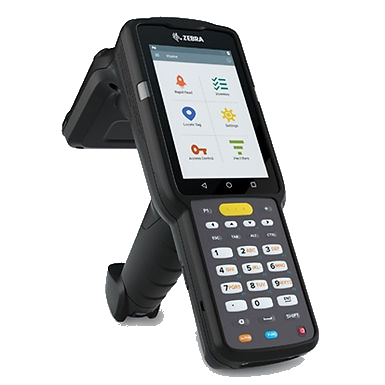
Use handheld scanners for inventory, asset search, exception work, and user-driven scans that update Rocket Tracked records.
Review Handheld RFID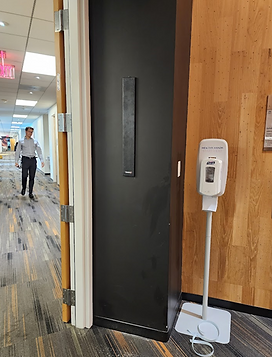
Use fixed readers, antennas, portals, cabinets, or workstation read points when a repeatable physical transition should create an event.
Review Fixed RFID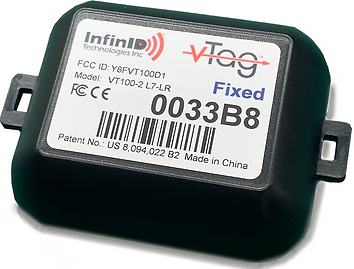
Use V-Tag when movable assets need active RFID location events, fixed-location references, gateways, and Rocket Tracked history.
Review Active RFID / V-TagSolution fit
Rocket Tracked can support several RFID use cases, but the implementation should still start with the physical workflow, tag constraints, reader placement, governance needs, and exception process.
Personnel presence and badge-event workflows require governance and purpose-specific design.
For cycle counting, replenishment, receiving, and broader inventory architecture, see RFID Inventory Management.
Tool cribs, cabinets, checkout, return, and handheld tool search need tool-specific tag and process design.
Large mobile equipment, vehicles, yards, gates, and rugged surfaces need their own system design.
Servers, IT assets, spares, rooms, cages, moves, audits, and custody events need secure deployment review.
WIP, production movement, tools, fixtures, containers, and inventory need event rules tied to shop-floor processes.
Meters, tools, field equipment, depots, and service records need practical read points and careful outdoor assumptions.
Bins, dumpsters, carts, service events, yard inventory, and assignment history can fit a Rocket Tracked conversation.
Fit check
Rocket Tracked is a fit when the project needs RFID event data connected to asset records, roles, status, checkout rules, inventory, movement history, and operational exceptions.
If the main problem is only tag selection, reader placement, or a single physical portal, start with the relevant hardware or solution page and connect the software decision after the workflow is clear.
Licensing and sizing
Rocket Tracked deployments can be sized around the number of RFID readers, handheld workflows, fixed read points, departments, users, integrations, and asset records in the system.
Contact Rocket RFID for the current configuration and pricing based on the reader count, software workflow, hosting requirements, and implementation scope.
Implementation
Rocket Tracked
Talk through the assets, RFID readers, software records, business rules, alerts, and integrations your tracking workflow needs.